

Een grote update wordt voorbereid voor Google Home. De applicatie die je kunt gebruiken voor het aansturen van je slimme apparaten, wordt voorzien van een lange lijst verbeteringen. De changelog laat meer dan twintig grote verbeteringen zien.
Grote update voor Google Home
Google Home en Gemini for Home krijgen een reeks verbeteringen die vooral draaien om betrouwbaarheid, snelheid en het oplossen van kleine problemen. Google publiceerde hiervoor afgelopen week een changelog, maar trok die later weer in. De genoemde wijzigingen zijn inmiddels wel bekend.
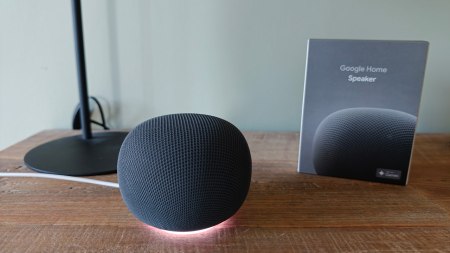
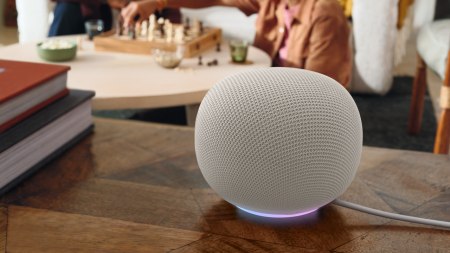
Voor Gemini for Home zijn er verschillende verbeteringen aan de spraakassistent. Zo moet Gemini je beter verstaan wanneer er op de achtergrond wordt gepraat. Ook reageert de assistent sneller op alledaagse opdrachten voor onder meer slimme apparaten, media, alarmen en timers. In huishoudens waar drie talen worden gesproken, moet de taalherkenning bovendien beter werken.
Ook de functies Find My Phone en aangepaste opdrachten binnen Routines worden betrouwbaarder. Daarnaast is een probleem opgelost waarbij Gemini na een fout tijdens een gesprek bleef reageren met een melding dat het de opdracht niet begreep.
In de Google Home-app zijn eveneens verschillende zaken aangepakt. Zo schakelen slimme lampen nu daadwerkelijk uit wanneer je de helderheid naar 0 procent brengt. Camera’s en deurbellen die online zijn, zijn duidelijker herkenbaar in de app en Matter-schakelaars tonen hun offline status beter.
Het instellen van nieuwe Nest-apparaten moet soepeler verlopen op zowel Android als iOS. De app kan netwerkgegevens bovendien tijdelijk veilig bewaren, zodat je ze bij het toevoegen van een volgend apparaat opnieuw kunt gebruiken.
Een opvallende toevoeging is de mogelijkheid om het geluid van de deurbel vooraf te beluisteren. Je kunt vanuit de instellingen van je deurbelcamera verschillende standaardgeluiden en seizoensgebonden thema’s bekijken en beluisteren voordat je ze instelt.
Tot slot zijn meerdere problemen met camerabeelden opgelost. Op Android moet opgenomen videomateriaal soepeler afspelen en verdwijnen enkele foutmeldingen. Ook problemen met videohistorie op Walmart Onn-camera’s zijn aangepakt. Op iOS werkt het verslepen van de tijdlijn tijdens gepauzeerde video’s weer beter.
Changelog
De changelog hebben we hieronder voor je neergezet.
Gemini for Home
Voice Assistant
- Better at hearing your commands when there is background chatter: We’ve improved how Gemini filters out background conversations in your home, so you should experience fewer instances where Gemini ignores a command you gave to it.
- Improved Find My Phone reliability: Rolled out quality and reliability improvements to this fan-favorite feature when you ask Gemini to help locate your phone.
- Faster responses for everyday commands: Reduced latency across a broader set of common smart home, media, alarm, and timer commands so everyday requests feel snappier.
- Improved understanding in multilingual households: Updated language recognition to better support households where three languages are commonly spoken, reducing cases where Gemini misunderstands what you’re asking.
- More reliable custom commands in Routines: Improved how custom commands in Routines are handled. When a routine is started by voice or set to play on a specific speaker or display, Gemini now interprets those written commands the same way as if you spoke them directly to your device, making your routines more reliable and predictable.
- More reliable conversation follow-ups: Fixed an issue where in cases that Gemini encountered an error during a back-and-forth conversation Gemini could get stuck repeatedly responding, “I didn’t understand” to subsequent requests.
Google Home App
App Surfaces
Device Controller Enhancements
- Accurate smart light shutoff: We’ve resolved an issue where sliding brightness down to 0% on single lights or group dimmers left bulbs powered on at minimum illumination instead of turning them off completely. Lowering your brightness to 0% now sends a definitive power-off command, preventing wasted energy and unexpected ambient glow.
- Clearer online camera and doorbell tiles: Online cameras and doorbells now show as filled icons and accented tile colors at a glance, helping you instantly distinguish active cameras from idle ones.
- Accurate offline switch status: We’ve resolved an issue where Matter switches failed to show their offline status or respond to taps on the All Devices tab, ensuring tiles properly render greyed out when disconnected.
- Reliable Favorites tile gestures: We’ve resolved issues where long-pressing tiles in the Favorites tab failed to open device controllers or routine editors.
- Smarter window covering detection: We’ve corrected device type resolution so awnings and curtains map accurately instead of defaulting all open-and-close window coverings to blinds.
Setup Improvements
- Smoother smart device setup: We’ve delivered end-to-end reliability improvements when setting up Nest devices across iOS and Android. This includes under-the-hood fixes for Bluetooth connections and Wi-Fi pairing to eliminate common dropouts and stalls during the initial setup process.
- Faster, standalone setup: When adding a new device to your home, the Google Home app can now securely cache network credentials on your mobile device, and reuse them for your next device.
Camera
Launches:
- Doorbell Ringtone Audio Preview: Get ready for spooky season and upcoming holidays! You can now listen to an audio preview of any standard chime or festive theme directly in the Google Home app before applying it to your doorbell. Different themes become available throughout the year, so check back during your favorite holidays to see what’s new! Go to your Doorbell camera settings > Doorbell theme to preview and select your seasonal favorite.
Bug fixes:
- Smoother recorded video playback (Android): Improved video player buffering when watching historical camera footage to reduce playback stuttering and mid-clip stalls.
- Eliminated false “Video not available” errors at the end of clips (Android): Resolved an issue where opening a camera event from a notification played the video clip normally, but displayed a “Video not available” error screen at the end of playback instead of pausing.
- Fixed video history loading on Walmart Onn cameras (Android): Resolved an issue where timeline scrubbing and recorded video playback could get stuck on an endless loading spinner even when live video was streaming normally.
- Responsive progress bar scrubbing while paused (iOS): Fixed an issue in the camera player where tapping or dragging the progress bar while an event video was paused resulted in an infinite loading spinner or failed to update the paused video frame to the selected timestamp.
Automations
Bug fixes:
- Reflecting complete device names during Automation Creation: Fixed an issue in Automations where multi-button switches and subdevices were missing their parent device name, making identical buttons difficult to tell apart.